Track
Track
 Login
Login

Profile selection on Startup
STEP 1
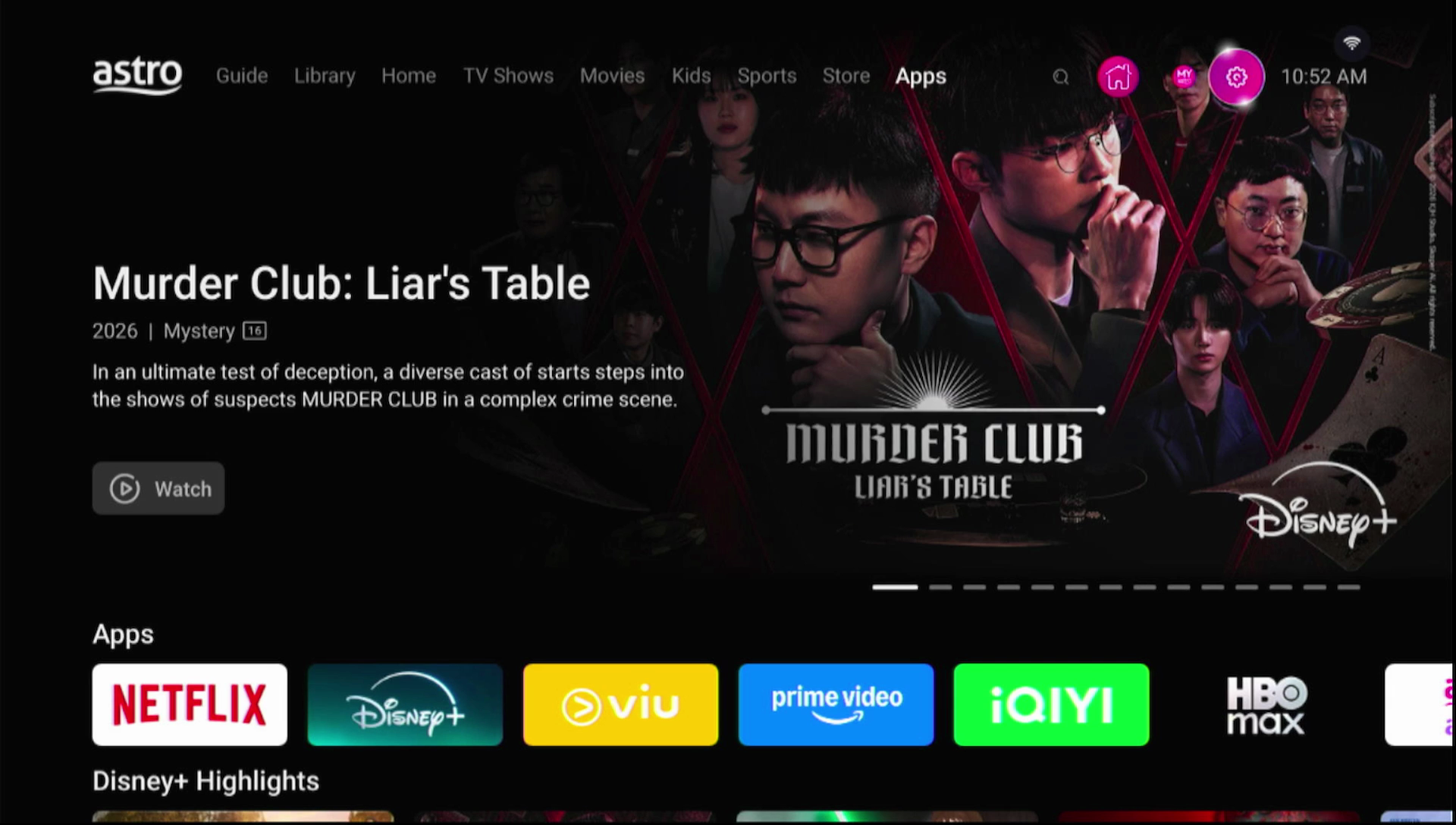
On your remote, press the Home button and the Home Page will be displayed your screen.
STEP 2
Navigate to SETTINGS.
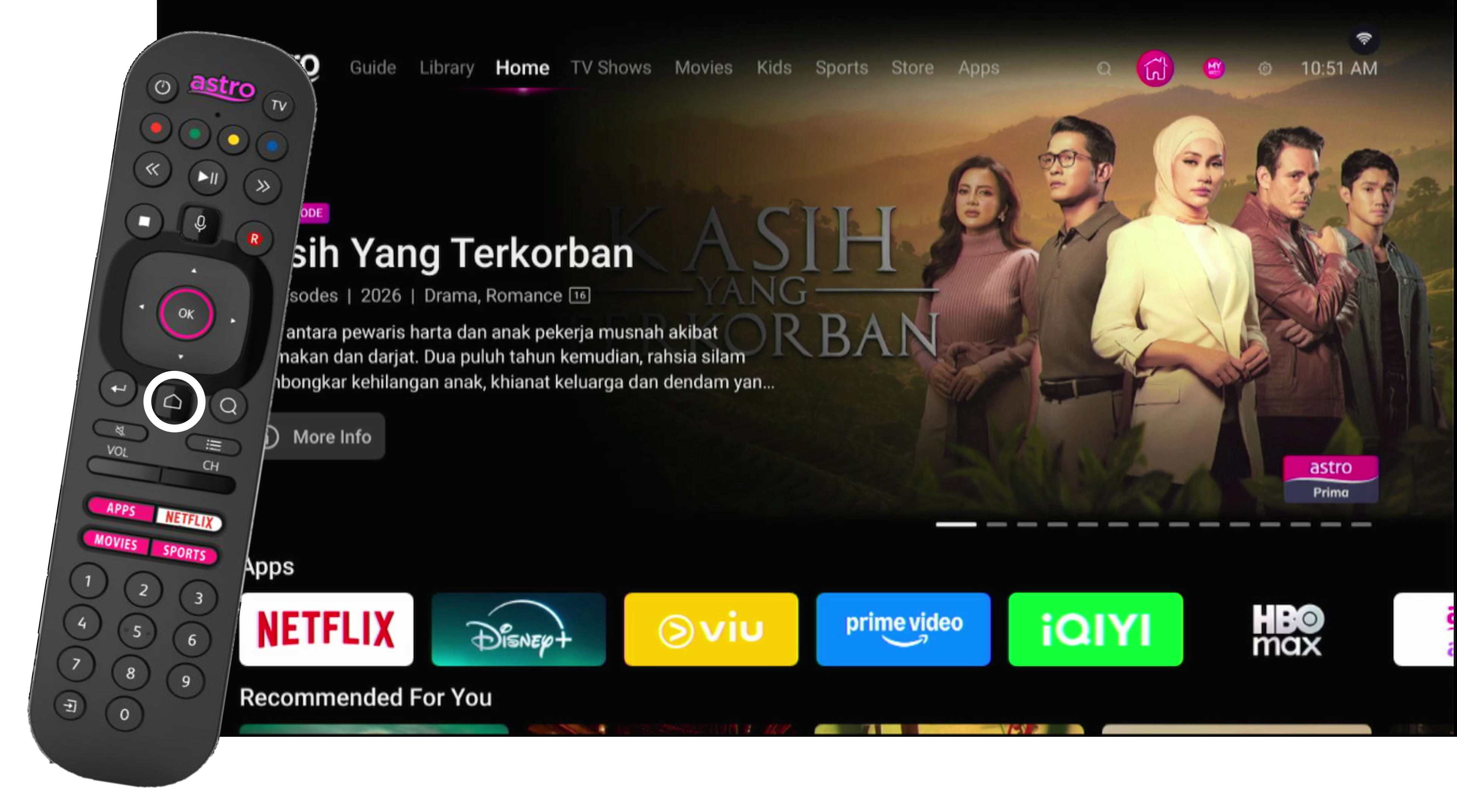
STEP 3
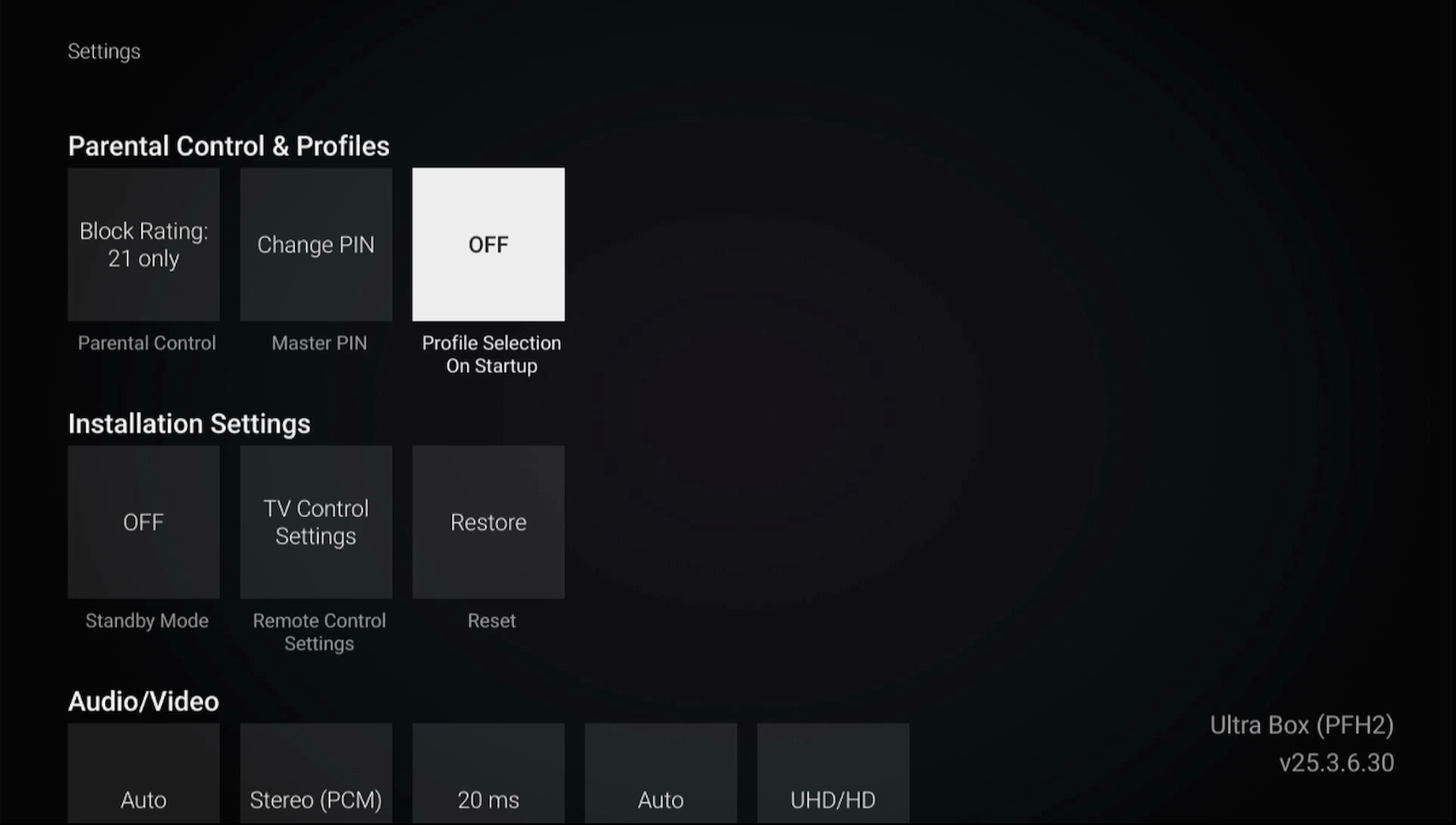
Navigate to Profile Selection on Startup and press “OK”.
STEP 4
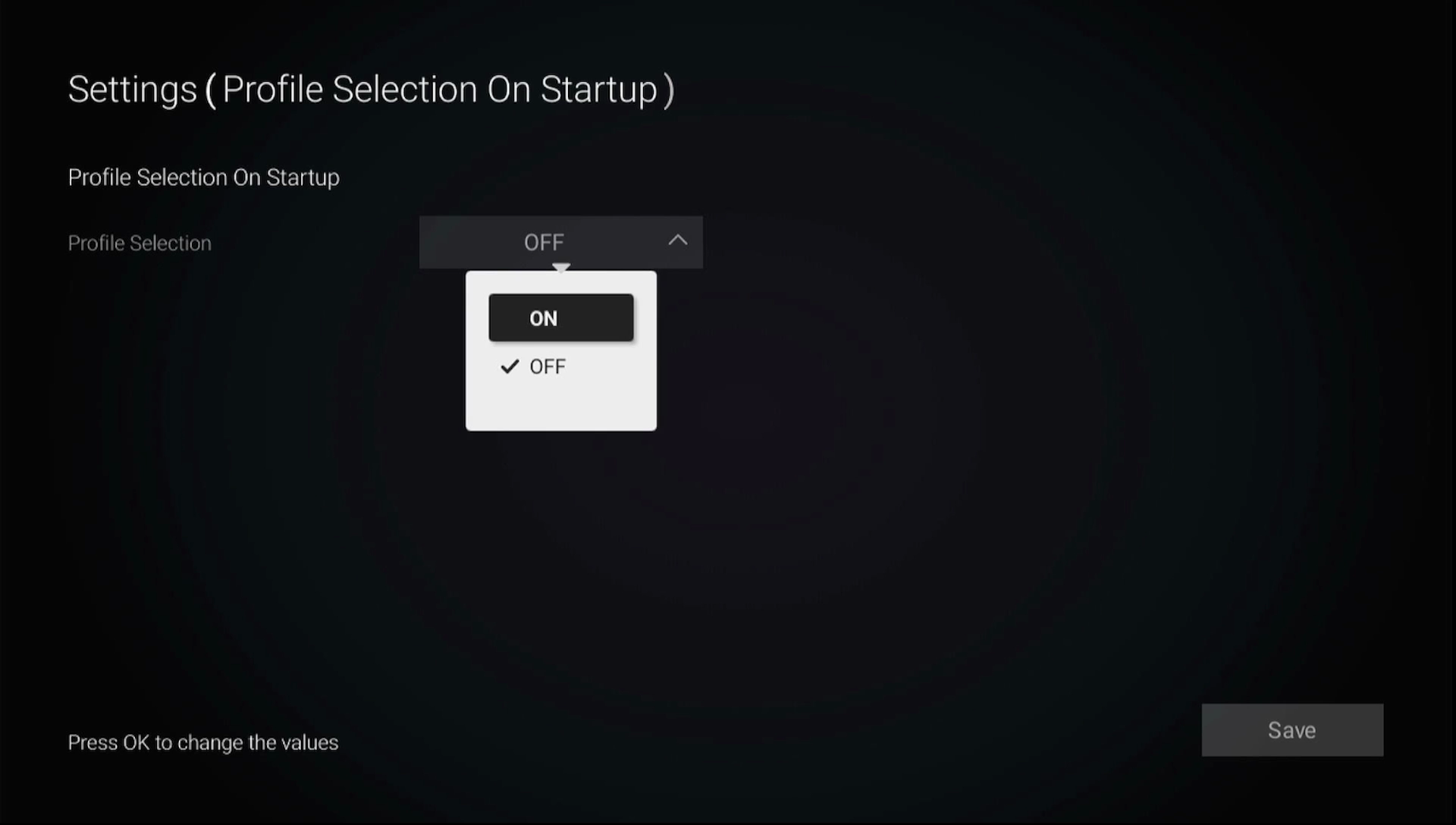
Navigate to your preferred selection and press “OK”.
STEP 5
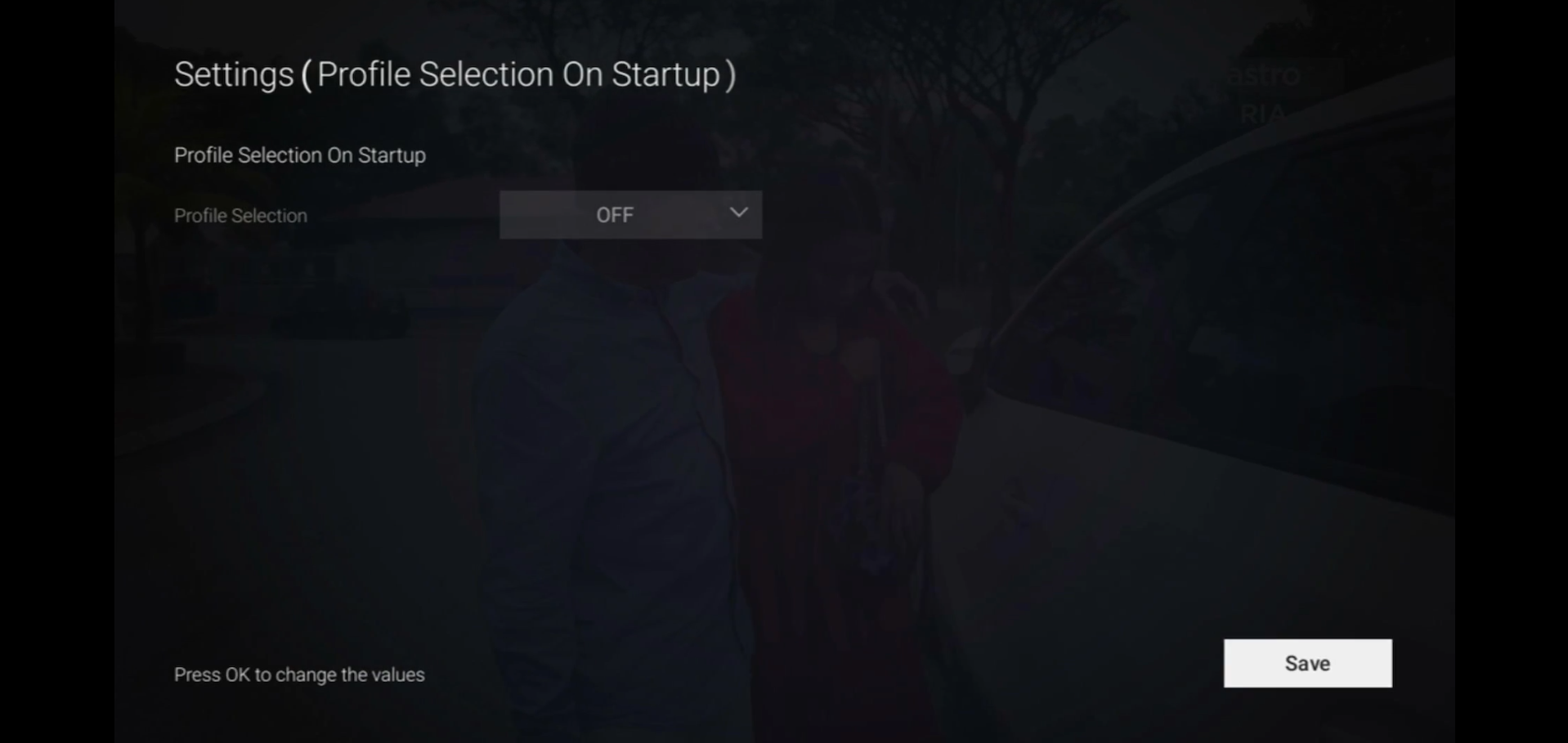
Navigate to Save and press “OK”.
Similar Articles