


 Track
Track
 Login
Login


Disney+

Stream the best in entertainment with Astro
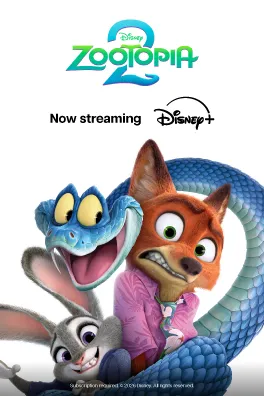





Watch Disney+ on Astro


Step 2
Click "Proceed" to activate and set up your Disney+ account.

Step 3
Once your account has been successfully activated, launch Disney+ on your selected device and sign in.

Step 4
Start streaming on Disney+. You may cancel your add-on subscription at any time.
Add-ons for existing customer
Add Disney+ to upgrade your existing TV plan. Cancel your add-on anytime.
New to Astro? Find your bundles here
Get stable endless entertainment with Disney+ app added on for more variety. Cancel your add-on anytime.
Instant entertainment
Entertainment + Disney+ Standard
RM56.93
/mth- No Astro box installation required
- Stream on up to 2 screens (maximum 1 Smart TV)
- Billed monthly








Instant entertainment
Entertainment + Disney+ & Prime Video
RM63.14
/mth- No Astro box installation required
- Stream on up to 2 screens (maximum 1 Smart TV)
- Billed monthly
Instant sports action
Stream LIVE matches, races and games instantly.
Sports + Disney+ Standard
RM86.93
/mth- No Astro box installation required
- Stream on up to 2 screens (maximum 1 Smart TV)
- Billed monthly











Best of entertainment
All your must-watch local & international favourites.
Entertainment + Disney+ Standard
RM66.93
/mth

Best of entertainment
All your must-watch local & international favourites.
Entertainment + Disney+ & Prime Video
RM73.14
/mth
Best of live sports
Sports + Disney+ Standard
RM86.93
/mth
The ALL-in-ONE
The ultimate world of entertainment, live sports & apps.
Epic
RM159.99
/mth








Astro X3
Astro One


Astro X3: Entertainment 12 Pack
RM39.99
/mth
What's in your pack
Astro GO
Smart TV App

Base


Astro X3: Sports 12 Pack
RM69.99
/mth
What's in your pack

Sun NXT Lite

beIN SPORTS CONNECT
Astro GO
Smart TV App

Sports

Sports Extra
Base
Astro One: Entertainment Pack
RM49.99
/mth
What's in your pack
Astro GO
Base
Astro One: Sports Pack
RM69.99
/mth
What's in your pack
Sun NXT Lite
beIN SPORTS CONNECT
Astro GO
Sports
Sports Extra
Base


Astro One: Epic Pack
RM159.99
/mth
What's in your pack

Netflix Standard

Disney+ Standard

Prime Video

iQIYI Standard VIP
Sun NXT Lite
beIN SPORTS CONNECT
Astro GO+

Kids

News & Documentaries

Blockbuster

Variety
Sports
Sports Extra
Base

Smart TV App
Frequently asked questions
Starting 7 October 2026, Disney+ will transition to a new Disney+ app experience. Astro customers can continue enjoying Disney+ via Astro with no changes to their Disney+ subscription or monthly fee.
Customers who stream via Astro Ultra or Ulti Box will have the new app made available automatically, while customers who stream on personal devices will simply need to download the new Disney+ app to continue watching Disney+.
Existing customers can sign in using the same email address or mobile number associated with their existing Disney+ account.
For further information and support relating to the Disney+ app experience or app-related features, please visit the Disney+ Help Centre.
You can activate Disney+ through the following methods:
a. Astro Ultra or Ulti Box
b. My Astro app or web
c. Email
d. WhatsApp
Kindly refer to the steps below to activate:
Option A: Activate on Astro Ultra or Ulti Box
STEP 1
Click on the Disney+ app logo under the Apps rail on your Home page

STEP 2
Scan the QR code or visit the website on screen to activate via Disney's platform

STEP 3
Enter your email address

STEP 4
Enter your mobile number
Only applicable for activation through Mobile

STEP 5
Create your password

STEP 6
Enter your birthday

STEP 7
Click Proceed and log in to start watching Disney+ on your TV screen


Option B: Activate on My Astro app or web
STEP 1
Log in to My Astro app or web

STEP 2
Go to Manage Subscription → Add-ons

STEP 3
Click Activate now under the Disney+ add-on

STEP 4
Confirm the SecureGo request

STEP 5
Click on Proceed to activate via Disney's platform

STEP 6
Enter your email address

STEP 7
Enter your mobile number
Only applicable for activation through Mobile

STEP 8
Create your password

STEP 9
Enter your birthday

STEP 10
Log in to start watching Disney+


Option C: Activate via Email
STEP 1
Click on the Disney+ app icon in the activation email to activate via Disney's platform

STEP 2
Enter your email address

STEP 3
Enter your mobile number
Only applicable for activation through Mobile

STEP 4
Create your password

STEP 5
Enter your birthday

STEP 6
Log in to start watching Disney+

Option D: Activate via WhatsApp
STEP 1
Click on the Disney+ activation link in the WhatsApp activation message to activate via Disney's platform

STEP 2
Enter your email address

STEP 3
Enter your mobile number
Only applicable for activation through Mobile

STEP 4
Create your password

STEP 5
Enter your birthday

STEP 6
Log in to start watching Disney+

Kindly refer to the steps below to log in:
STEP 1
Click on the Disney+ app logo under the Apps rail on your Home page

STEP 2
Select Log In

STEP 3
Scan the QR code or visit the website on screen to log in

STEP 4
Key in the on-screen code to pair your TV

STEP 5
Enter your email address or mobile number associated with your Disney+ subscription

STEP 6
Select whether you want your OTP to be sent to your email address or mobile number

STEP 7
Key in your OTP

STEP 8
Review and agree to the Disney+ terms
Only applicable to first time log in to Disney+ after the app migration

STEP 9
Create your user profiles
Only applicable to first time log in to Disney+ after the app migration


STEP 10
Select your user profile on your TV screen to start watching


You can watch Disney+ through any of the following methods:
a. Astro Ultra and Ulti Box by launching the Disney+ app under the Apps rail on your Home page.
b. Personal devices (e.g. mobile phones, tablets and Smart TVs) by downloading the Disney+ app or visiting the Disney+ website.
You will need to log in using the credentials created during activation.