


 Jejak
Jejak
 Log masuk

beIN SPORTS
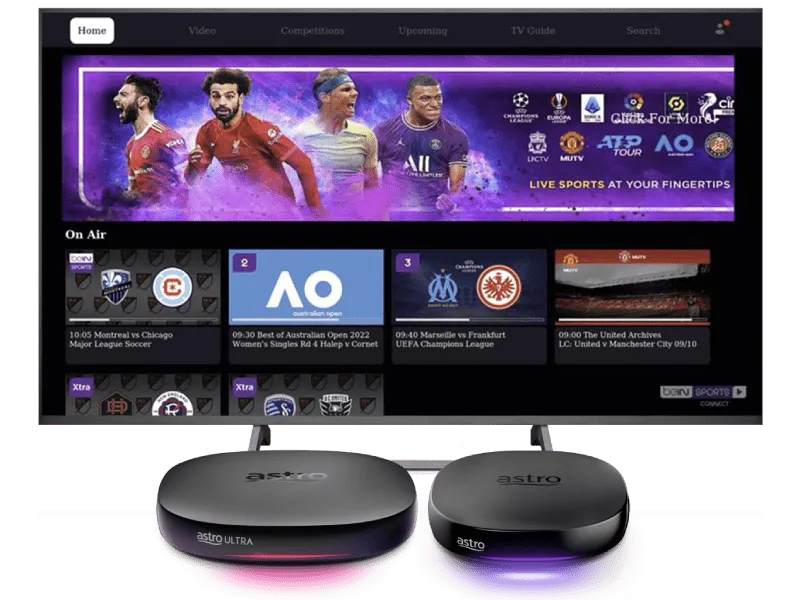





Watch beIN SPORTS CONNECT on Astro


Step 2
Log in beIN SPORTS CONNECT mobile app with your Astro ID and pair it with your TV

Step 3
Yay! You can start streaming now. Cancel your add-on subscription anytime
New to Astro? Find your bundles here
Get stable endless entertainment with beIN SPORTS CONNECT app added on for more variety. Cancel your add-on anytime.
Aksi sukan serta-merta
Sports
RM69.99
/bln-
Tiada pemasangan Astro Box diperlukan
- Strim sehingga 2 skrin (maksimum 1 Smart TV)
- Bil bulanan











Sukan terbaik
Sports
RM69.99
/bln
Semua-dalam-satu
Epic
RM159.99
/bln







Astro X3
Astro One


Astro X3: Sports 12 Pack
RM69.99
/bln
Kandungan pek anda

Sun NXT Lite
beIN SPORTS CONNECT
Astro GO
Aplikasi Smart TV
Sports

Sports Extra
Asas
Astro One: Sports Pack
RM69.99
/bln
Kandungan pek anda
Sun NXT Lite
beIN SPORTS CONNECT
Astro GO
Sports
Sports Extra
Asas


Astro One: Epic Pack
RM159.99
/bln
Kandungan pek anda

Netflix Standard

Disney+ Basic

Prime Video
iQIYI Standard VIP
Sun NXT Lite
beIN SPORTS CONNECT
Astro GO+

Kids

News & Documentaries

Blockbuster

Variety
Sports
Sports Extra
Asas
Frequently asked questions
beIN SPORTS CONNECT is the ultimate live streaming sports service that provides you with access to global sporting events both LIVE and on-demand such as major European football leagues and over 3,000 hours of live tennis via Astro's Ultra Box, Ulti Box, mobile app or web.
Customers can enjoy major European football leagues, over 3,000 hours of live tennis and other global sporting events LIVE and on-demand on the app. You may check out the complete list of competitions available on the app here: beIN SPORTS CONNECT | Live Leagues and Competitions | LaLiga, Serie A, Ligue
The beIN SPORTS CONNECT app is not available as an add-to-bill option. Please visit
www.product.astro.com.my/tv
to sign up to one of our TV Packs with the Sports subscription.
Unfortunately, subtitles and dubbing options are currently not available.
On the beIN SPORTS CONNECT mobile app:
Step 1: Open the "beIN SPORTS CONNECT" app and go to your Profile
Step 2: Select "Sign in with Astro" and log in with your Astro ID
Step 3: Go to "Settings" and select the TV Login option
Step 4: A QR code scanner will appear.
Step 1: Close the "Astro ID Login" tab in your browser, then close your mobile app browser (Safari, Google Chrome, Mozilla Firefox etc).
Step 2: Close the beIN SPORTS CONNECT app on your mobile device.
Step 3 Reopen the beIN SPORTS CONNECT app and try to log in again